
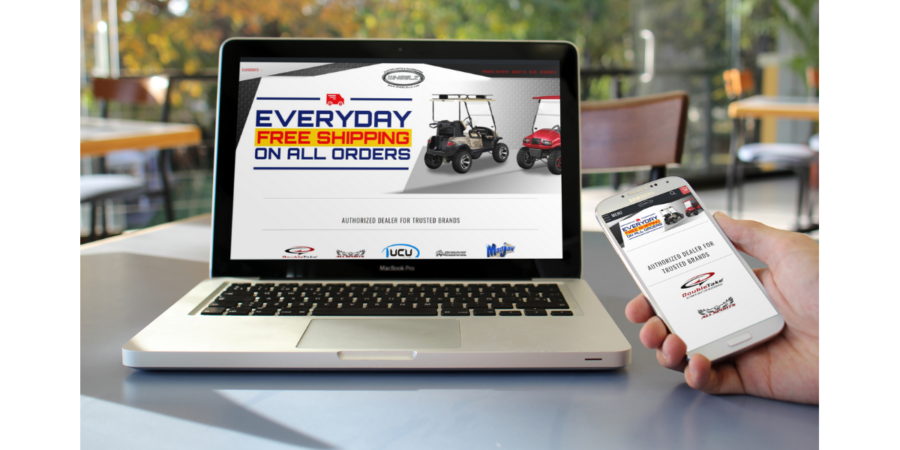
About six months ago, I decided to invest in Shopify Turbo Theme for my online store. Up until that point, I used a free Shopify theme. After using a premium theme, it makes me cringe to think that I relied on a free theme for so long. I simply didn’t know what I was missing. With a free theme, I spent more on apps and converted less. The Turbo Portland theme has actually saved me money because many of the features that I was previously paying for are baked right into the theme.
To say that my ecommerce store has been transformed by the Shopify Turbo Theme is a big claim. And, I can back it up.
PLEASE READ MY DISCLAIMER ABOUT AFFILIATE LINKS.
If you have not yet launched your Shopify store, read this article–> Why You Should Start an Ecommerce Store Today
Shopify Turbo Theme is Lighting Fast
The designers of the Turbo theme readily admit that they engineered this theme for speed. The fast growing, mobile obsessed world in which we live demands fast loading websites. If your load time is more than a handful of seconds, your visitors will move on to the next site. According to research performed by Dynatrace, online shoppers expect an ecommerce website to load in less than 3 seconds. Shopify cites 2.5 seconds as being the benchmark.
It is with a bit of embarrassment and complete transparency that I will admit that before I switched to Turbo Portland theme, my website load time was 7 seconds. My store was successful and I still made several sales each day, but if I had waited much longer to speed up my site, I would have been swallowed by my competition.
The day that I launched the new theme, my site load speed was 2.36 seconds…just like that! Then, I removed all of the apps that I no longer needed (more about that later) and retested and here is my current site speed:
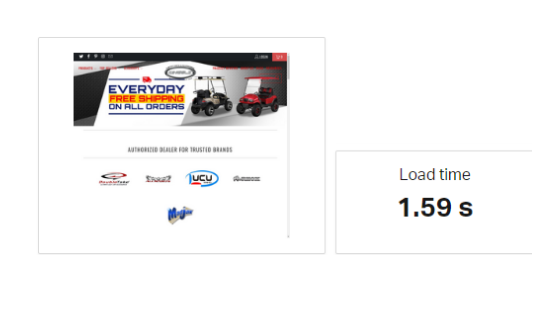
The first feature that allows for fast loading is “lazy loading.” Lazy loading is the process where the theme prioritizes the loading of critical parts of the website first. If you have visited a website where the images were a bit blurry and then cleared up within a few seconds, you experienced lazy loading. This feature quickly loads the parts of the website that will grab the attention of the visitor and keep them on the page.
The makers of Shopify Turbo Theme credit the lightning fast load times to Intelligent Page Preload. Think about when you are shopping and you get ready to click on a product. Do you hover over the product for 1-2 seconds before actually clicking? The Turbo theme begins to download page content for the page that you are about to click. Once the user actually clicks the page, it loads immediately because most of the content has already been loaded. The same technology is used for mobile loading. The Turbo theme takes advantage of that fraction of a second between when your finger is placed on a link and when the actual click takes place.
Smart Image Loading is another feature that gives Shopify stores with the Turbo theme the speed advantage. Delivering crisp, clean images but balancing page speed has always been a struggle for online store owners. The Shopify Turbo Theme solves that problem by analyzing the user’s screen size and delivering the highest quality images possible for that screen. Larger images are typically viewed at home or in an office that has a high speed connection. Serving up high quality, large images is no problem in this case. But, with a mobile device, the images are viewed on a smaller scale and the connection speed may be slower, so smaller image sizes are ideal. Turbo intuitively loads the ideal size image to balance quality and speed.
Infinite Scroll is one of my favorite Turbo features. The theme detects when a shopper is nearing the end of the current collection page and automatically displays more products. No page reload is needed to see additional products, so the transition is fast. If you have large product collections, this feature is a must-have.

How Many Apps Will You Cancel With Shopify Turbo Theme?
Not only has Turbo allowed my site to deliver a much faster experience to my customers, it also saves me money each month. It can be easy to look at the cost of the theme and decide that it isn’t worth it. That is exactly what I did year after year. I now regret not purchasing Turbo Portland sooner because of the money that I wasted on paid apps before switching themes.
Turbo has added several essential features into the theme. The advantages to this are:
- Reduced monthly app fees
- Decreased instances of conflict with third party apps
- Increased site speed (Apps bog down speed)
- New Turbo features are added for free for the lifetime of your store
When you purchase the Shopify Turbo Theme license, you will have access to these features with no monthly fee.
Predictive Search
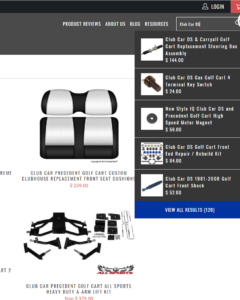
When shoppers use your online store’s search function, the intuitive theme will begin to populate results as they type, adding more flexibility and making sure they find what they need.
Quick Shop
Turbo comes with the Quick Shop function, allowing users to get a quick glance at product details, including variants, price, etc. The Quick Shop function allows shoppers to add to cart from any collection page without loading the product page. Comparable apps, like Quick View, cost $16.99/month to add this feature.
Multitag Filters
Especially useful for fashion stores and any store needing advanced filtering, Multitag Filters are built in to Turbo. Allow customers to filter products by size, color, make, model, vendor, material and many more customizable options. Product Filter apps typically cost $19/month in the Shopify app store.
Advanced Mega Menus
One of my favorite features, stores with massive inventories will love Turbo’s Mega Menus.
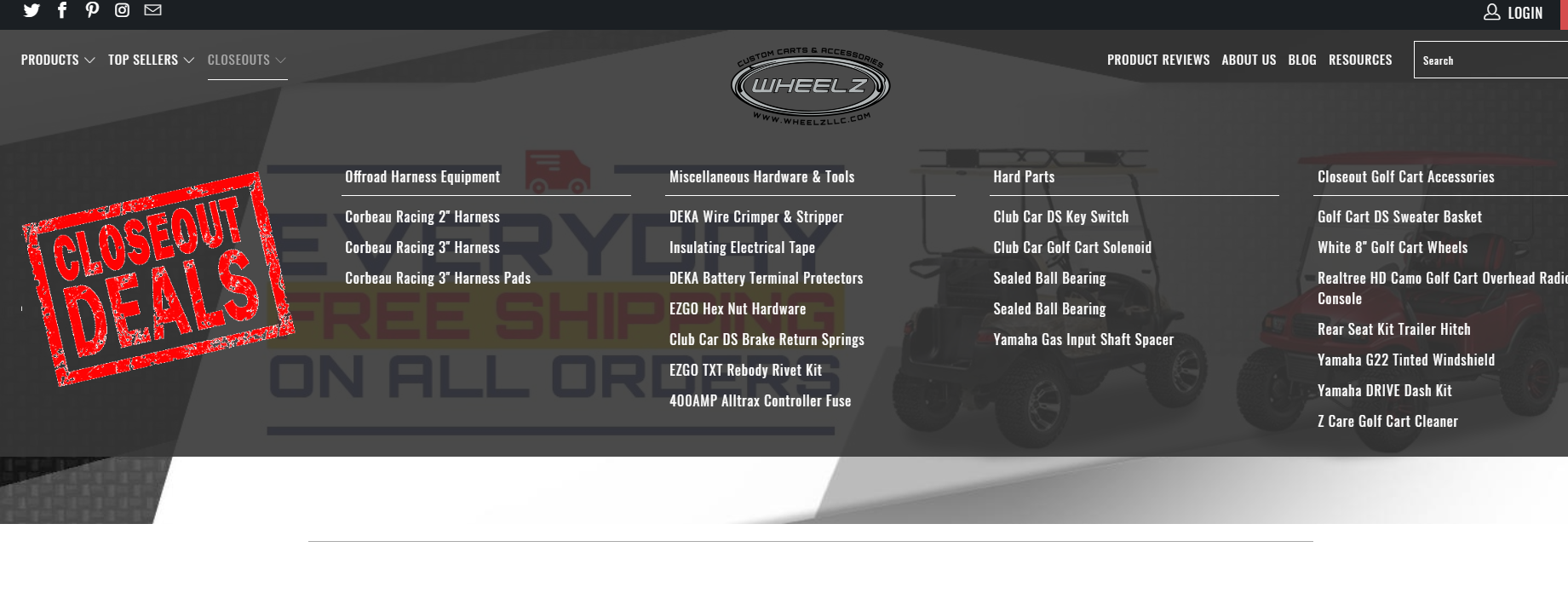
I use my mega menus to promote closeout deals and other sales, advertise new collections, and draw attention to my best sellers. Adding text and image elements is simple and the layout combinations is limitless. Mega Menu apps offered are not nearly as clean as this feature and cost $9/month if you purchase the app subscription.
Advanced Page Layouts
The drag and drop Turbo theme is perfect for those of us who shy away from coding. Create beautifully designed About Us, Gallery, and Collection pages by selecting the page elements you need. This feature, included with the Shopify Turbo Themes, is comparable to Shogun and Zipify, but without that $69/month price tag.
Recently Viewed Products
The dynamically updating Recently Viewed Products feature can be placed on collection pages and product pages, reminding shoppers of items they are interested in and converting into higher sales. Adding one of these apps typically runs $3-$9/month.
Gallery Page
If you currently use the Lookbook app for $29/month, you can cancel it when you purchase the Shopify Turbo Theme. If your products rely heavily on quality imagery, the drag and drop gallery page allows for a dynamic look or a lookbook page.
And Many More…
If you currently use Mini Cart, Easy Tabs, Cross-Sell, Twitter Feed, Swatchify, Product Reviews, Pop Ups, Age Check, InstaFeed or a number of other apps, Turbo themes will allow you to cancel them, save the monthly fees and use the Turbo alternatives.
Let’s Do the Math
Shopify Turbo Themes are a one-time licensing cost of $350. When you factor in the increase in conversions due to the fast load times and streamlined customer experience, it will quickly pay for itself.
But, if that logic isn’t enough to convince you, simple add up the price of the apps you currently use or want and most Shopify store owners will agree that they will recoup the cost of the theme within a few months.
The Short and Sweet
My conversion rate increased significantly within the first week of making the switch to Turbo Portland and I saved $47/month by canceling apps that were replaced by Turbo features. Within 4 weeks, my Turbo Portland theme paid for itself and it continues to make me money. Once you are a Turbo theme user, your one time price is all that you will ever pay; however, they developers keep adding features that you get for free as soon as they are released.
The best part is that now I have an online store that I am proud of and that makes me money while I sleep.
Sign up for Shopify Turbo Theme today.

When you decided on Turbo theme had you compared other paid themes? I hear a lot of people mentioning Shoptimized. Did you look at this theme. I am curious what factors made you decide over other themes.
Thanks
Hi Kevin, Yes I have worked with several premium themes. Shoptimized seems scammy to me and I don’t need many of the features that they promote. I wanted something clean that would allow my store to run fast and would allow me to create custom landing pages without an app. Out of the Sandbox has great support, too and is always updating themes to make them better and faster. Thanks for your comment.
[…] this year, I made the big decision to redesign my ecommerce site with a premium theme. I talk about the process of choosing a theme and why I chose my theme in this article. I jumped on Canva, determined to create some amazing headers and other creatives to go with my […]
[…] this year, I made the big decision to redesign my ecommerce site with a premium theme. I talk about the process of choosing a theme and why I chose my theme in this article. I jumped on Canva, determined to create some amazing headers and other creatives to go with my […]